Deal Soldier Field Intelligence
Deal Soldier vs BrickSeek
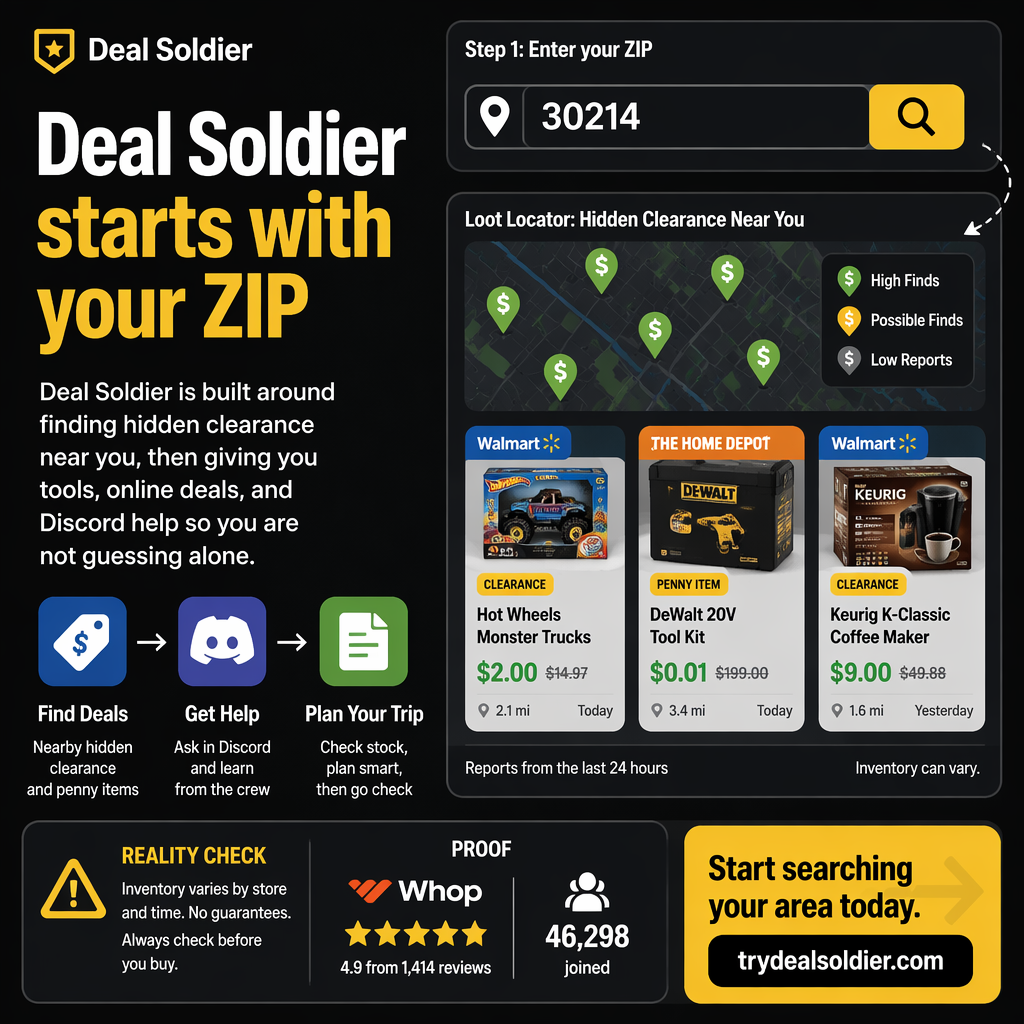
If you are fighting comparing tools by feature list instead of job-to-be-done, use this operational test: the cheaper tool is not cheaper if it pushes all verification and judgment back onto you
Start the Deal Soldier 7-day trial on Whop
The Field Investigation: What We Are Actually Testing
If you are investigating Deal Soldier, you have likely seen viral social clips: shopping carts loaded with $25 laptops, $3 designer rugs, and penny clearance finds in big-box stores. But viral posts skip the operational friction: store inventory algorithms, shelf tagging lag, phantom stock, and the reality of resale fees.
The core trap we are deconstructing in this guide is comparing tools by feature list instead of job-to-be-done. The operational rule of thumb is straightforward: the cheaper tool is not cheaper if it pushes all verification and judgment back onto you. If you cannot establish a systematic local workflow that produces verified savings during your 7-day free trial, you should cancel immediately on Whop.
Below is our complete field investigation for Deal Soldier vs BrickSeek, broken down scene-by-scene into store mechanics, algorithm breakdowns, and actionable testing protocols.
Fast Comparison
When comparing clearance hunting software, BrickSeek is the legacy incumbent. For years, deal hunters relied on BrickSeek to look up product inventory across Walmart, Target, and Home Depot by manually entering SKUs and ZIP codes.
However, the retail landscape has shifted dramatically. Major retailers have aggressively restricted public API access, throttled web scraping bots, and delayed inventory updates. In response, modern deal hunters require more than a simple search bar.
Deal Soldier was built to solve the modern retail landscape. Instead of forcing you to manually guess and type in 50 different SKUs every morning, Deal Soldier actively monitors price changes, pushes real-time alerts to Discord, and combines automated algorithms with crowdsourced human receipt verification.
| Comparison Dimension | BrickSeek (Legacy Lookup) | Deal Soldier (Modern Intelligence) |
|---|---|---|
| Core Architecture | Passive web search directory | Active real-time alert ecosystem & community |
| Operational Mode | Manual SKU lookup (You must know what to search) | Push notifications (System tells you what is dropping) |
| Data Freshness | Often delayed 12 to 24 hours due to API throttling | Near real-time delta tracking and community receipt verification |
| Community Interaction | Zero community; isolated solo user experience | 44,000+ members sharing local finds, photos, and tips |
| Pricing Model | Free basic / $9.99 to $29.99/mo paid tiers | 7-day free trial, then $44/month on Whop |
📋 Actionable Verification Protocol
- Identify whether your personal style is passive searching or active alert monitoring.
- Test both platforms during their respective trial or free tiers.
- Evaluate which platform produces more actionable, local store wins.
Target Decision: Choose the platform that matches your workflow: passive lookup vs active intelligence.
Action Threshold: If you hate typing SKUs manually, Deal Soldier is the superior operational choice.
Immediate Failure Mode: Paying for a lookup tool when you don't know which SKUs to search for.
For additional context on Fast Comparison, compare this operational step with our detailed breakdown in Deal Soldier Review: Is It Worth $44/Month? and cross-reference our field rules in Deal Alerts vs Deal Judgment.
What BrickSeek Usually Solves
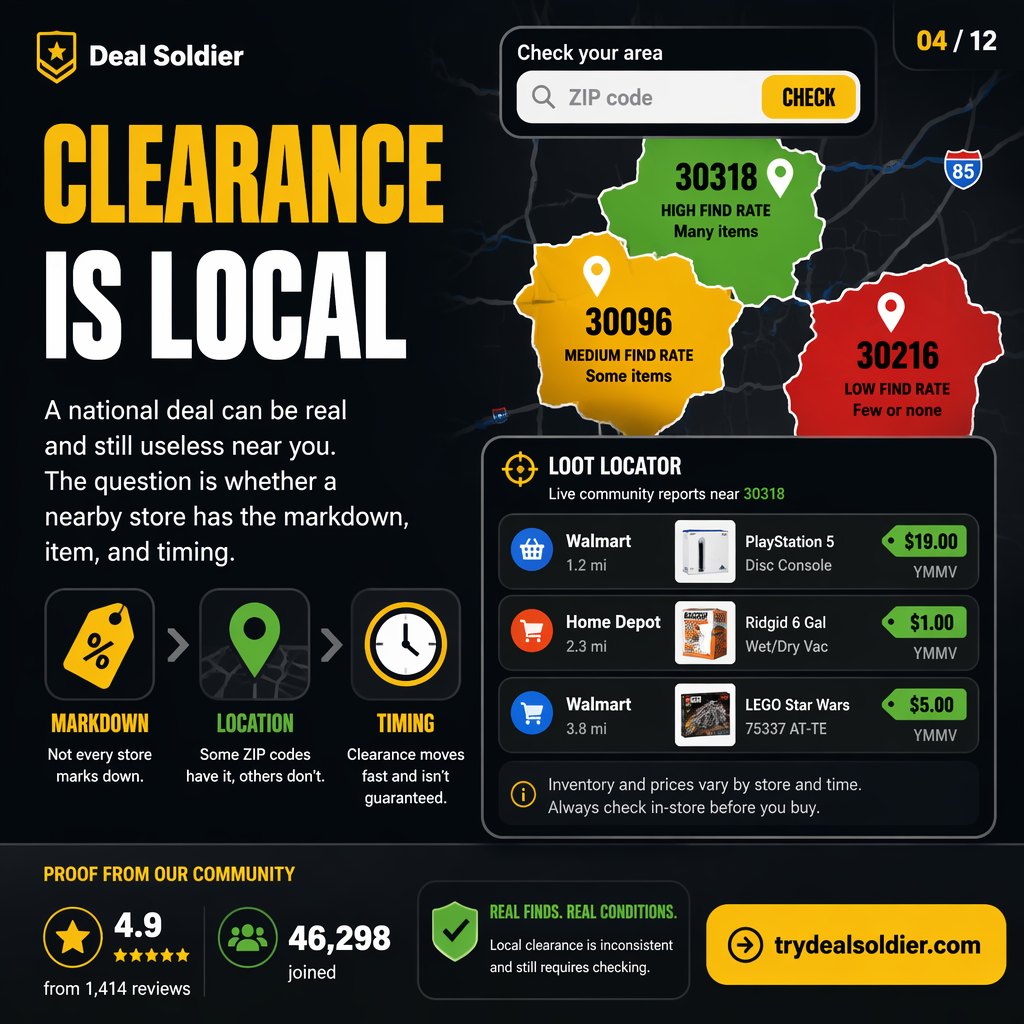
To evaluate BrickSeek fairly, you must recognize what it does well. BrickSeek excels when you already have a specific target in mind. For example, if a specific cordless drill kit or high-end television model is rumored to be on sale, BrickSeek allows you to paste in the SKU and view a grid of estimated inventory levels across nearby retail stores.
For shoppers who enjoy spending hours on forums, finding SKUs from other people's posts, and manually querying store databases one item at a time, BrickSeek provides a functional directory service.
However, its fundamental limitation is that it is reactive. If you don't know the SKU, you cannot search for it. It does not actively notify you when an unexpected category—such as cookware or seasonal lawn equipment—quietly drops 80% at your local store.
| BrickSeek Strength | Ideal Use Case | Operational Limitation |
|---|---|---|
| Specific SKU Lookups | Checking stock for a known, specific high-ticket item | Useless if you don't already have the exact SKU number |
| Nationwide Overview | Viewing estimated stock levels across multiple cities | High inventory lag; frequent phantom stock reports |
| Low Entry Cost | Free tier available for basic limited lookups | Heavily throttled search limits on free accounts |
📋 Actionable Verification Protocol
- Use BrickSeek if you have a specific, pre-determined list of SKUs to monitor.
- Be prepared for manual data entry and frequent search quota limits.
- Cross-reference BrickSeek results with in-store reality to gauge local accuracy.
Target Decision: Utilize BrickSeek primarily as a secondary reference directory for known individual SKUs.
Action Threshold: Best suited for users with abundant free time for manual research.
Immediate Failure Mode: Spending hours typing SKUs into a search bar without finding active local stock.
For additional context on What BrickSeek Usually Solves, compare this operational step with our detailed breakdown in Deal Soldier vs Telegram Deal Groups and cross-reference our field rules in Best Deal Soldier Alternatives.
What Deal Soldier Tries To Solve
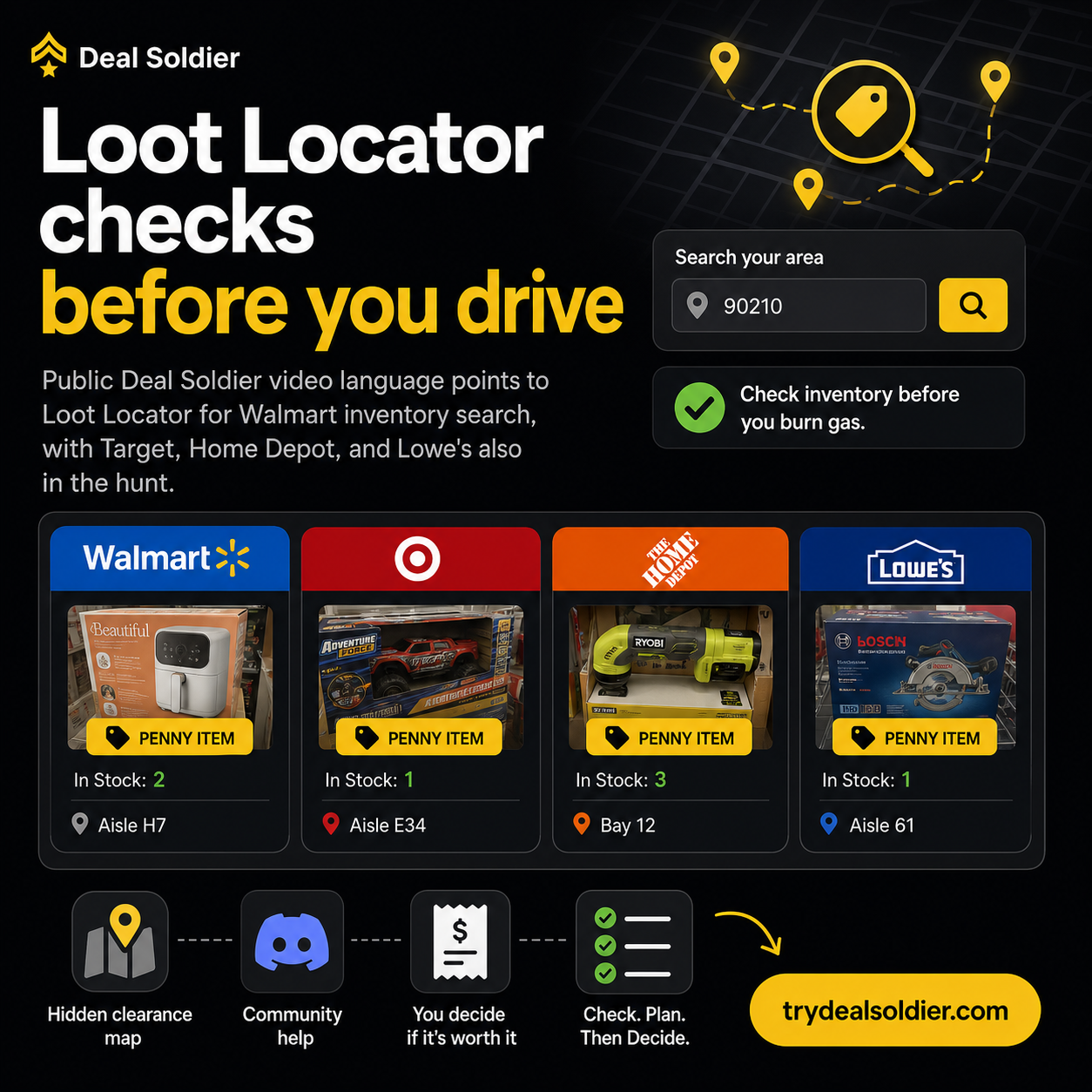
Deal Soldier was created specifically to eliminate the 'blank search bar' problem. Most shoppers don't have time to research manufacturer part numbers or scroll through endless product directories hoping to find a discount.
Deal Soldier inverts the discovery model. Its proprietary software continuously scans retail inventory feeds. When corporate repricing algorithms trigger markdowns, the platform filters the data, categorizes it by department and retailer, and delivers it directly to members via Discord.
Furthermore, Deal Soldier incorporates human intelligence. When an automated alert fires, community members who live near that store visit the location, take photos of the shelf, scan the barcode, post the register receipt, and confirm whether the deal is live. You get automated speed combined with real-world verification.
| Problem Solved | How Deal Soldier Solves It | User Benefit |
|---|---|---|
| The Blank Search Bar | Automated algorithmic feed pushes active price drops | Zero time spent guessing SKUs |
| Inventory Lag & Scraping Blocks | Multi-source scanning plus real-world member verification | Significantly higher accuracy on local stock |
| Isolation & Uncertainty | Private Discord community with 44k+ members and support | Instant feedback, advice, and shared local intelligence |
📋 Actionable Verification Protocol
- Set up notifications for your top retail stores in the Deal Soldier Discord.
- Monitor the #receipts-and-wins channel to observe live product categories.
- Use Turbo Search when you want to query a specific local radius.
Target Decision: Rely on Deal Soldier for automated discovery and community-verified intelligence.
Action Threshold: Saves 3 to 5 hours of weekly manual lookup time.
Immediate Failure Mode: Becoming passive and assuming alerts will purchase items for you.
For additional context on What Deal Soldier Tries To Solve, compare this operational step with our detailed breakdown in Deal Alerts vs Deal Judgment and cross-reference our field rules in Is Deal Soldier Good For Resellers?.
Manual Lookup vs Guided Workflow
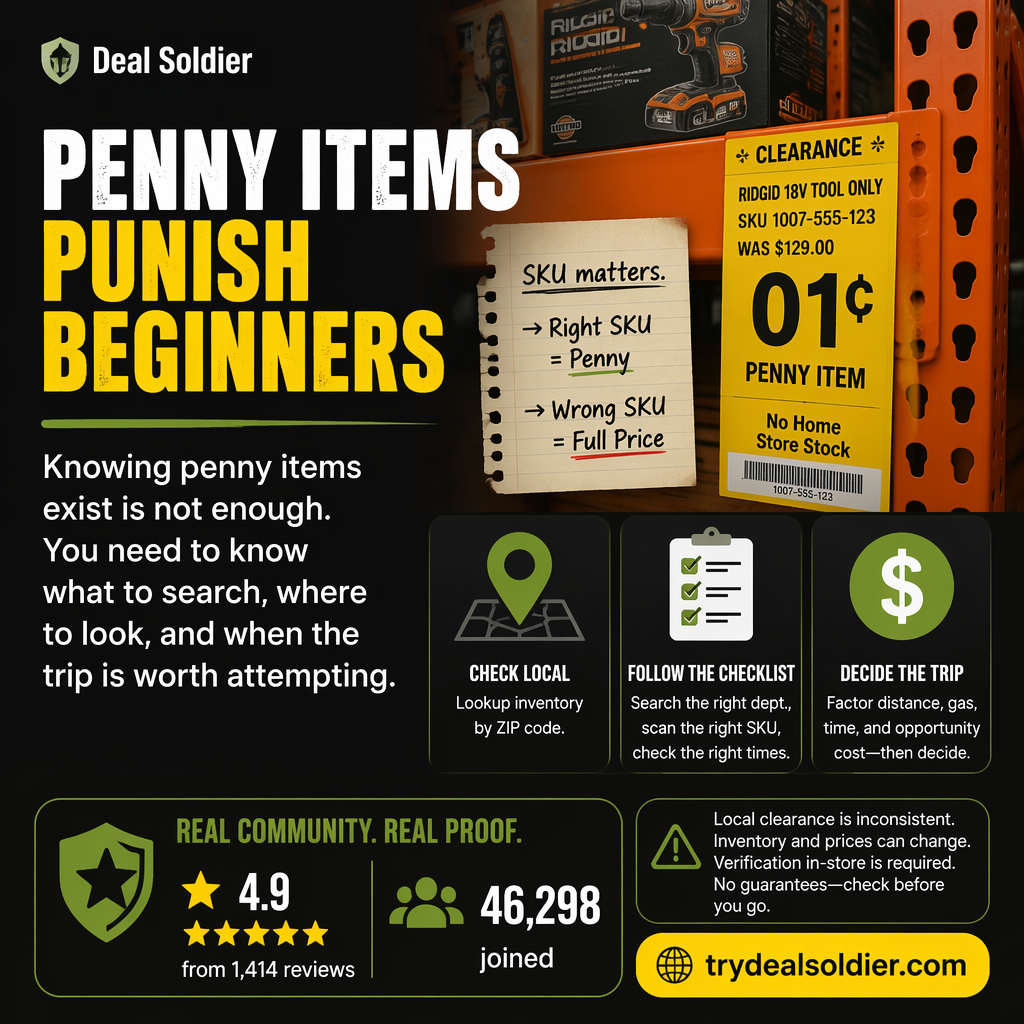
The fundamental difference between legacy tools like BrickSeek and modern platforms like Deal Soldier is the difference between a manual tool and a guided operational workflow.
With a manual tool, you must sit at a computer, find SKUs on social media or retail websites, paste them into a search box, solve CAPTCHAs, interpret inventory percentage estimates, and decide whether to drive. It is a labor-intensive process that quickly leads to search fatigue.
With Deal Soldier, the workflow is guided and mobile-first. The system monitors the stores for you. When a high-margin markdown occurs in your region, an alert arrives on your phone. You review the verified receipt, check the distance, and make an instant go/no-go decision. You spend your time executing store runs rather than doing administrative data entry.
| Workflow Attribute | Manual Lookup (BrickSeek) | Guided Workflow (Deal Soldier) |
|---|---|---|
| Input Required | Requires finding and typing specific SKUs manually | Zero manual input; automated alert feed |
| Device Usability | Best suited for desktop web browsers | Optimized for mobile Discord notifications and web tools |
| Time to Action | 15 to 30 minutes of manual research per item | Instant alert evaluation in under 60 seconds |
| Cognitive Load | High (mental fatigue from endless searching) | Low (clear, structured, categorized notifications) |
📋 Actionable Verification Protocol
- Transition your hunting routine from desktop research to mobile-first alerts.
- Reserve manual lookups only for verifying specific high-ticket items.
- Focus your energy on physical store execution and inventory inspection.
Target Decision: Adopt a guided workflow to maximize your efficiency and reduce research burnout.
Action Threshold: Reduces pre-trip research time from 30 minutes to under 2 minutes.
Immediate Failure Mode: Returning to manual searching out of habit and wasting valuable morning hours.
For additional context on Manual Lookup vs Guided Workflow, compare this operational step with our detailed breakdown in Best Deal Soldier Alternatives and cross-reference our field rules in Deal Soldier Review: Is It Worth $44/Month?.
Alerts
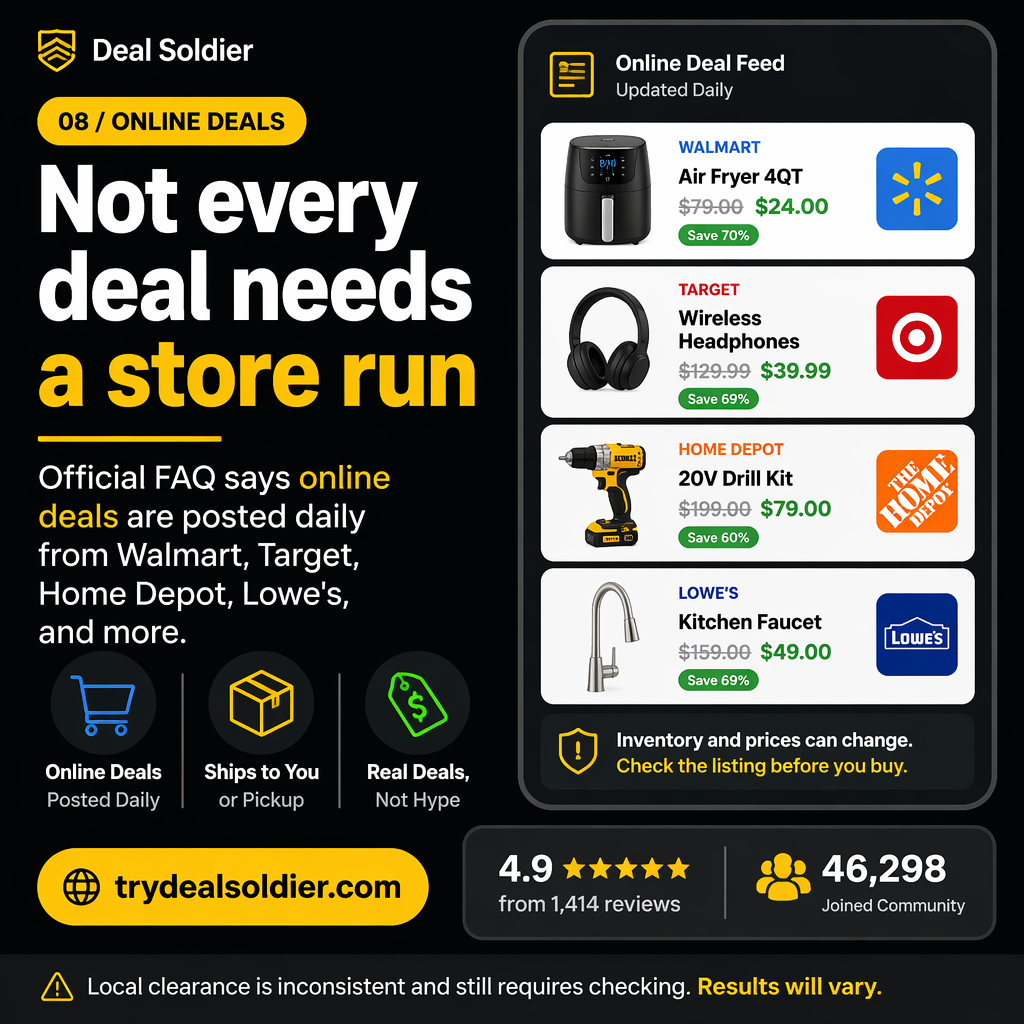
Clearance inventory is strictly finite. When a store has three units of a $100 power tool marked down to $25, those three units will only be purchased once. The hunter who receives the alert at 7:00 AM walks out with the merchandise; the hunter who sees it at noon arrives to find an empty shelf.
This is why alert infrastructure is so critical. BrickSeek's alert capabilities are largely restricted to higher-tier paid plans and often suffer from batched notification delays. Public social media feeds are even worse, frequently broadcasting deals hours or days after shelves have been cleaned out.
Deal Soldier utilizes direct Discord webhook notifications and specialized scanning bots (SniperX) that alert members within minutes of database price transitions. This provides the crucial time window required to reach the store before general shoppers or competing flippers arrive.
| Platform | Average Alert Latency | Shelf Availability Probability |
|---|---|---|
| Deal Soldier Discord Push | Near real-time (Minutes after price drop) | 80% - High likelihood of finding stock |
| BrickSeek Paid Alerts | Batched hourly to multi-hour updates | 45% - Moderate likelihood; often picked over |
| Public Social Media (Reddit/TikTok) | 4 to 24+ hours after initial discovery | Less than 10% - Shelves almost always bare |
📋 Actionable Verification Protocol
- Enable VIP or high-priority push notifications for your regional Deal Soldier channels.
- Set custom alert sounds so you instantly recognize a clearance ping.
- Act within 60 to 90 minutes of an alert for the highest probability of success.
Target Decision: Prioritize real-time alerts over lagging public aggregators.
Action Threshold: Act on fresh alerts during morning store restocking windows.
Immediate Failure Mode: Ignoring alerts for hours and expecting clearance merchandise to wait for you.
For additional context on Alerts, compare this operational step with our detailed breakdown in Is Deal Soldier Good For Resellers? and cross-reference our field rules in Deal Soldier vs Telegram Deal Groups.
Community
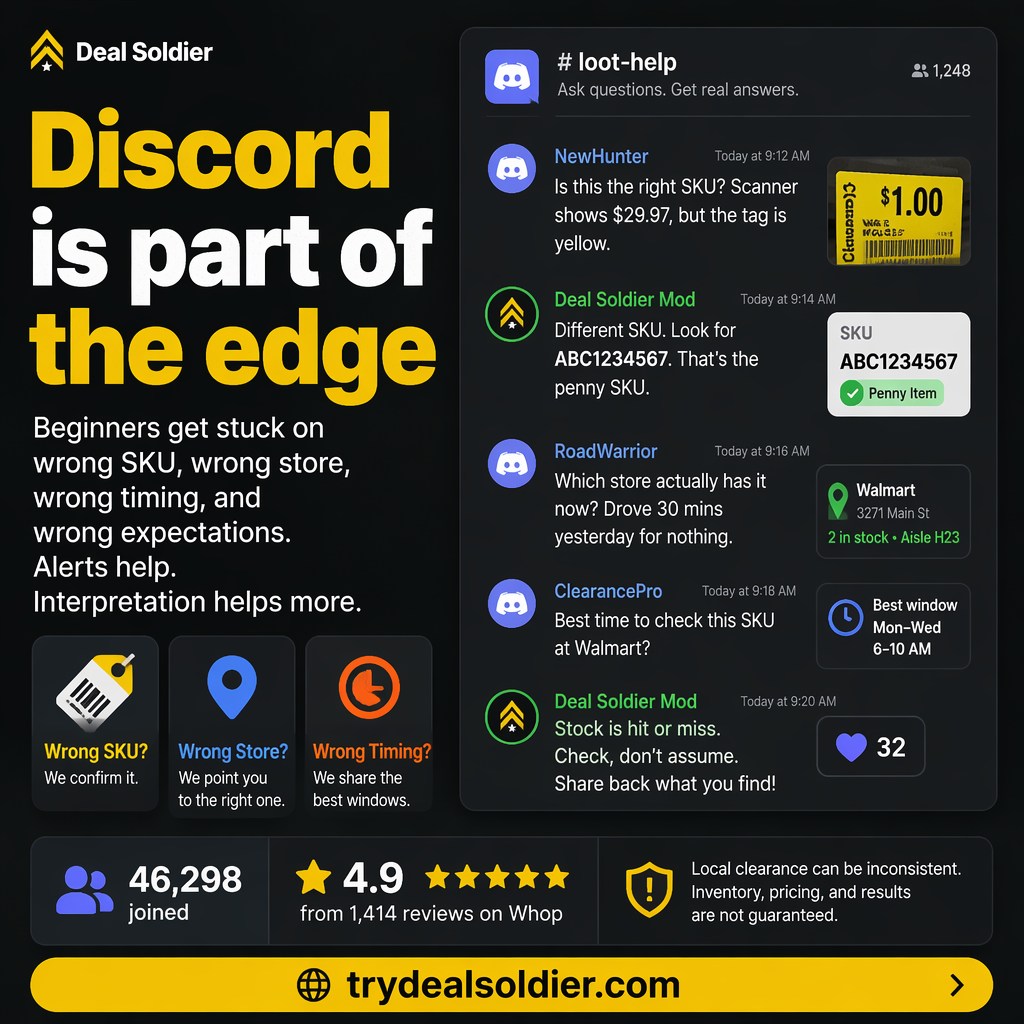
One of the most overlooked aspects of Deal Soldier is the power of its community. Tools like BrickSeek provide raw numbers on a screen, but data alone lacks context. A computer database might show '2 units in stock', but it cannot tell you that those units are located in the garden center, or that the packaging is damaged.
Deal Soldier's 44,000+ member Discord community bridges this gap. When a member discovers a hidden clearance find, they post photos of the physical shelf, the receipt showing the discount, and notes on exact store location.
This crowdsourced intelligence turns the entire community into a shared scouting network. If a corporate markdown batch hits Texas stores, members in Florida and Georgia get an early warning that the same batch will likely hit their stores within 24 to 48 hours.
| Community Feature | BrickSeek | Deal Soldier Community |
|---|---|---|
| Real-World Receipt Verification | None | Active daily channels of verified member receipts |
| Aisle-Level Location Notes | None | Members share exact shelf, endcap, and riser locations |
| Regional Sub-Channels | None | Dedicated state and metro-specific discussion rooms |
| Direct Peer Support | None (Ticketing system only) | Real-time answers from experienced deal hunters and moderators |
📋 Actionable Verification Protocol
- Join your specific regional channel inside the Deal Soldier Discord immediately.
- Introduce yourself and review the pinned community etiquette rules.
- Share your own verified finds to build trust and reciprocal intelligence with local hunters.
Target Decision: Leverage the community as a distributed field scouting team.
Action Threshold: Check your regional channel daily for early-warning markdown trends.
Immediate Failure Mode: Lurking passively without checking regional threads where the best local tips are shared.
For additional context on Community, compare this operational step with our detailed breakdown in Deal Soldier Review: Is It Worth $44/Month? and cross-reference our field rules in Deal Alerts vs Deal Judgment.
Beginner Fit
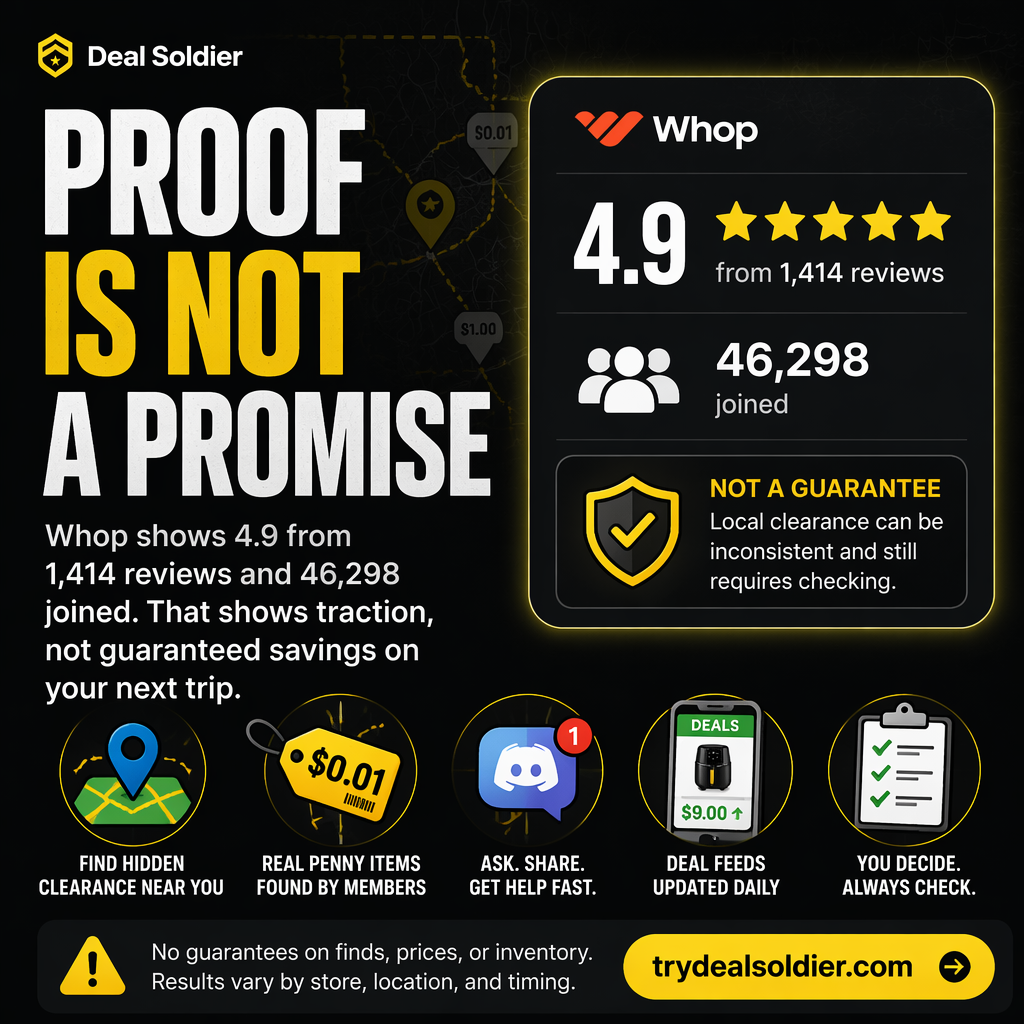
For a complete beginner, starting your deal-hunting journey with BrickSeek is often intimidating. You are presented with a search engine that demands exact SKUs, UPCs, and retailer part numbers. If you don't know what products to look for or how retail markdown cycles operate, you will spend hours staring at zero-stock search results.
Deal Soldier is significantly more accessible for beginners because it provides a structured onboarding path. The platform includes educational guides, video walkthroughs by creator Sean Sweeney, and a dedicated beginner support channel where new members can ask questions without judgment.
Instead of having to invent your own deal-hunting strategy from scratch, you simply follow proven templates: start by monitoring regional alerts, test your local stores during routine grocery trips, and learn how to decode shelf tags using community resources.
| Beginner Factor | BrickSeek | Deal Soldier |
|---|---|---|
| Learning Curve | Steep (Requires prior knowledge of SKUs & retail data) | Moderate (Structured onboarding guides & video tutorials) |
| Time to First Win | Often 2 to 3 weeks of trial and error | Typically within the 7-day trial period |
| User Guidance | Self-directed; minimal onboarding documentation | Active community mentors and beginner question channels |
| Motivation / Retention | High abandonment rate due to initial dead ends | High engagement driven by shared community wins |
📋 Actionable Verification Protocol
- Complete the beginner onboarding checklist inside Discord before visiting a store.
- Watch the pinned tutorial on reading barcode shelf tags.
- Ask your first question in the #beginner-help channel to familiarize yourself with the community.
Target Decision: Choose Deal Soldier if you want a guided educational path rather than an isolated tool.
Action Threshold: Enables a complete novice to execute a successful store scan within 3 days.
Immediate Failure Mode: Giving up early because you chose a complex tool that offered zero onboarding guidance.
For additional context on Beginner Fit, compare this operational step with our detailed breakdown in Deal Soldier vs Telegram Deal Groups and cross-reference our field rules in Best Deal Soldier Alternatives.
Reseller Fit
For professional resellers operating on Amazon FBA, eBay, or Facebook Marketplace, Deal Soldier and BrickSeek serve different operational functions. Many high-volume resellers actually utilize both tools: using Deal Soldier for active alert discovery and BrickSeek for secondary SKU verification.
However, when forced to choose a primary sourcing engine, Deal Soldier holds a substantial edge for arbitrageurs. The primary bottleneck for resellers is sourcing velocity: finding profitable inventory before margins get crushed by competing sellers.
Deal Soldier's SniperX and Turbo Search tools alert resellers to major liquidation events—such as store-wide 75% tool clearances or brand-name appliance markdowns—hours before they become common knowledge. Sourcing just four or five units of a high-margin SKU can generate $300 to $800 in net profit, making the $44 monthly fee completely negligible.
| Reseller Metric | BrickSeek | Deal Soldier |
|---|---|---|
| Sourcing Velocity | Slow (Manual SKU-by-SKU lookup) | Fast (Real-time automated push notifications) |
| Inventory Arbitrage Edge | Moderate (Heavily picked over by legacy users) | High (Early-stage alerts and localized radius filtering) |
| Multi-Unit Discovery | Estimated percentages only | Community receipt verification confirms physical shelf quantities |
| ROI on Subscription | Moderate ($10 - $30/mo cost vs slower discovery) | Very High ($44/mo easily recovered on 1-2 sourcing runs) |
📋 Actionable Verification Protocol
- Calculate your minimum target ROI (e.g., 50% net margin after platform fees).
- Set up dedicated alert channels for high-margin resale categories: Tools, Electronics, Appliances.
- Verify Amazon BSR (Best Sellers Rank) and eBay sold comps before purchasing in bulk.
Target Decision: Integrate Deal Soldier as a core sourcing pipeline for your retail arbitrage business.
Action Threshold: One sourcing haul per month yielding $100+ net profit pays for the tool twice over.
Immediate Failure Mode: Buying excessive clearance inventory without verifying current online resale market demand.
For additional context on Reseller Fit, compare this operational step with our detailed breakdown in Deal Alerts vs Deal Judgment and cross-reference our field rules in Is Deal Soldier Good For Resellers?.
Decision Table
To make an informed decision between BrickSeek and Deal Soldier, evaluate your personal resources: do you have more time or more money? Do you prefer sitting at a desktop computer doing data entry, or receiving actionable pings on your smartphone?
If you are on an extremely tight budget, have hours of free time to research SKUs manually, and don't mind delayed inventory updates, BrickSeek's free or lower-tier plans may suffice for your needs.
However, if you view deal hunting as a serious pursuit—either to drastically cut your household budget or build a profitable resale business—Deal Soldier's automated alerts, modern scanning bots, active community, and 7-day trial provide a vastly superior return on investment.
| Operational Feature | BrickSeek | Deal Soldier | Winner |
|---|---|---|---|
| Real-Time Speed | Delayed batch updates | Real-time Discord alerts | Deal Soldier |
| Ease of Use | Manual SKU input required | Automated push feeds & radius maps | Deal Soldier |
| Community Intel | Zero community features | 44k+ members sharing receipts | Deal Soldier |
| Entry Cost | Free tier available (limited) | 7-day free trial, then $44/mo | BrickSeek (Lower entry cost) |
| Mobile Experience | Clunky mobile browser interface | Native Discord app integration | Deal Soldier |
| Overall Value for Active Hunters | Moderate | Exceptional | Deal Soldier |
📋 Actionable Verification Protocol
- Review the decision table and identify your top two priority features.
- If speed and community intelligence matter most, start the Deal Soldier 7-day trial.
- Test Deal Soldier against your local stores before making a long-term commitment.
Target Decision: Select Deal Soldier if you prioritize speed, mobile convenience, and community verification.
Action Threshold: Choose Deal Soldier if you want automated discovery rather than manual data entry.
Immediate Failure Mode: Paying for a subscription that doesn't match your operational workflow.
For additional context on Decision Table, compare this operational step with our detailed breakdown in Best Deal Soldier Alternatives and cross-reference our field rules in Deal Soldier Review: Is It Worth $44/Month?.
FAQ
Prospective subscribers frequently ask technical and operational questions when comparing these platforms: Can you use both tools together? Does Deal Soldier scrape BrickSeek? Will using these tools violate store terms of service?
First, Deal Soldier operates its own proprietary data collection engines (Turbo Search and SniperX) in addition to leveraging community crowdsourced receipts. It does not rely on BrickSeek.
Second, using Deal Soldier poses zero risk to your personal retail store accounts (such as your Walmart+ or Target Circle accounts). The platform operates externally through Discord. You simply walk into a public retail store as a regular customer, scan items, and pay using standard checkout procedures.
| Question | Direct Answer | Strategic Advice |
|---|---|---|
| Can I use both tools together? | Yes, many advanced resellers use both | Use Deal Soldier for discovery, BrickSeek as backup |
| Is Deal Soldier worth $44 vs $10 for BrickSeek? | Yes, if you value time and real-time alerts | One verified haul covers the $34 price difference |
| Does Deal Soldier work on mobile? | Yes, natively optimized via Discord and mobile web | Receive alerts anywhere via smartphone notifications |
| Can I cancel if I prefer BrickSeek? | Yes, 1-click cancellation inside your Whop dashboard | Test risk-free during the 7-day trial period |
📋 Actionable Verification Protocol
- Take advantage of Deal Soldier's 7-day trial to experience the guided workflow firsthand.
- Compare the quality of Deal Soldier's local alerts to your past manual search results.
- Make your final platform choice based on documented local savings.
Target Decision: Proceed with complete peace of mind regarding account safety and platform independence.
Action Threshold: Evaluate the two platforms based on real-world local store performance.
Immediate Failure Mode: Letting unfounded technical fears prevent you from testing modern clearance intelligence.
For additional context on FAQ, compare this operational step with our detailed breakdown in Is Deal Soldier Good For Resellers? and cross-reference our field rules in Deal Soldier vs Telegram Deal Groups.